 SaveGarant
01
List
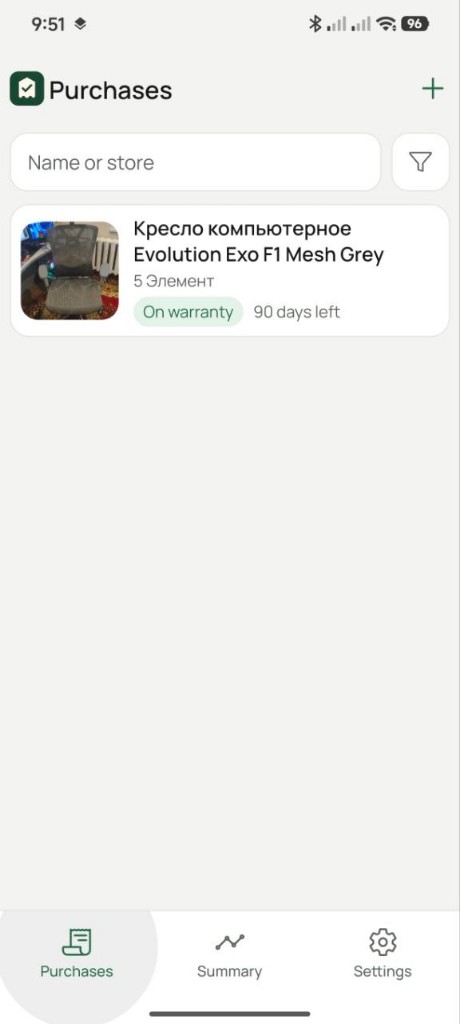
Search by name or store. Filter by term. A row opens the card. Plus starts a new purchase.
Docs
Seven steps: list, card, new purchase, summary, settings, reminders, copy.
Search by name or store. Filter by term. A row opens the card. Plus starts a new purchase.
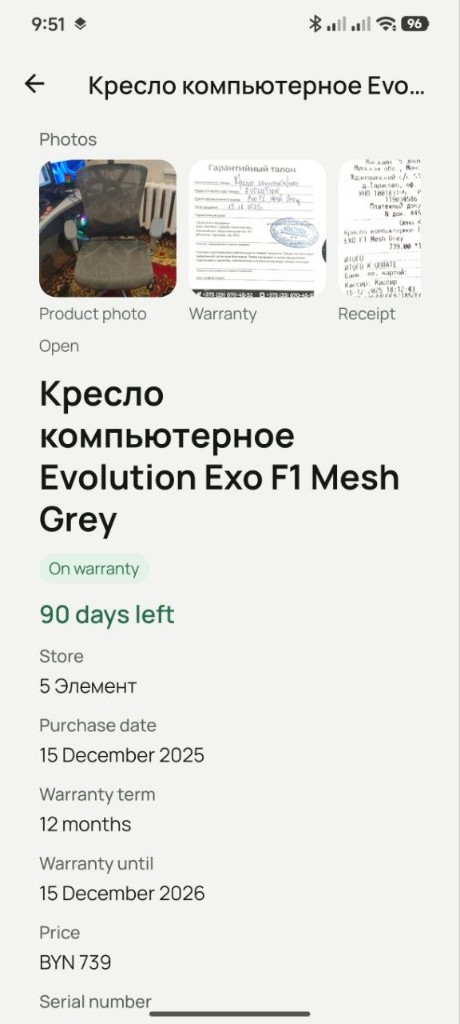
Photos, status, days left, store, dates, price, serial number, note. Edit and delete from the same screen.
Name and store are required. Months of cover set the end date. Price: USD, EUR, RUR or BYN.
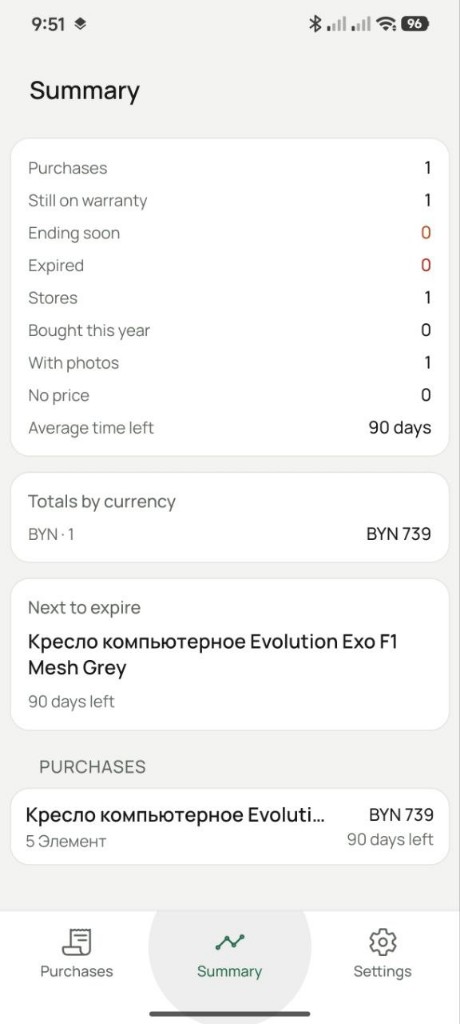
Counts, totals by currency, the next warranty end.
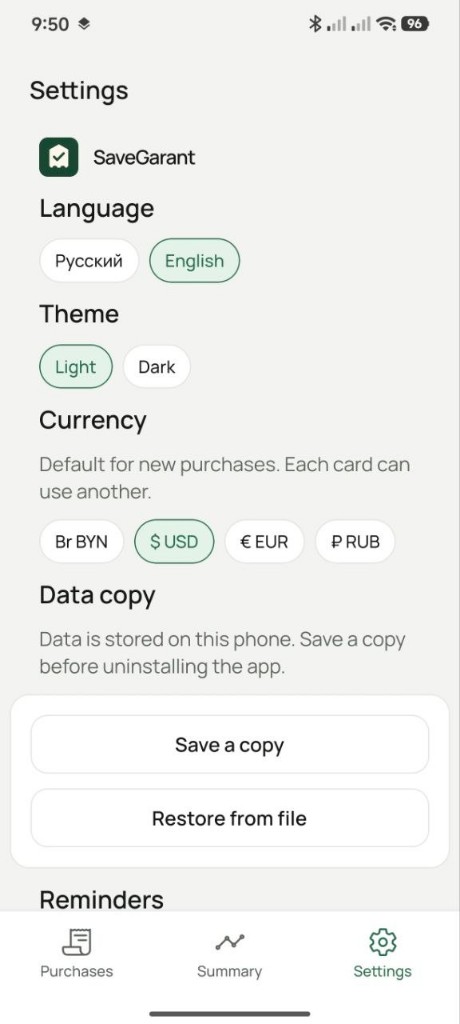
Language, theme, default currency, reminder days, data copy.
Only for future dates. Editing the term updates the schedule.
Save the file before uninstalling. Restore replaces the current records.